
Big Clock
A minimal clock: just two text elements. It uses the system font’s ultraLight weight, which looks elegant at large sizes, and slightly negative tracking to tighten the digits.
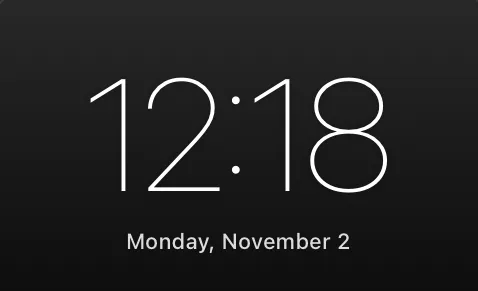
Download Big Clock.atsuraewidget and drop it on the Widgets section of your Library, or create the files yourself:
{ "$schema": "https://atsurae.app/docs/schema/widget.schema.json", "formatVersion": 2, "id": "big-clock", "name": "Big Clock", "summary": "A huge, thin clock with the date underneath.", "author": "Atsurae", "version": "1.0", "options": [ { "key": "use24Hour", "label": "24-hour time", "kind": "toggle", "defaultValue": "true" } ], "elements": [ { "text": "{hour}:{minute}", "font": { "size": 0.16, "weight": "ultraLight" }, "tracking": -0.02 }, { "text": "{weekday}, {monthName} {day}", "font": { "size": 0.022, "weight": "medium" }, "opacity": 0.85, "offset": [0, 0.11] } ]}How it works
Section titled “How it works”{hour}:{minute}instead of{time}, so there’s no AM/PM in 12-hour mode. With the 24-hour time option off,{hour}becomes 1–12.- The date sits at
offset: [0, 0.11]: the clock is 0.16 tall, so its bottom edge is about 0.08 below the anchor, plus a gap. - No script, no package contents beyond
widget.json, so this could also be a single.jsonfile.
- Add
{ampm}as a small separate element to the right of the clock, with"visibleWhen": "use24Hour=false". - Try
"family": "New York"with"weight": "light"for a serif clock. - Add a Show date toggle and
"visibleWhen": "showDate=true"on the date.