
Progress bars and rings
Progress elements show a value from 0 to 1 as a filled bar or ring.
{ "type": "progress", "style": "ring", "value": "{battery.level}", "size": [0.09, 0.09], "lineWidth": 0.007 }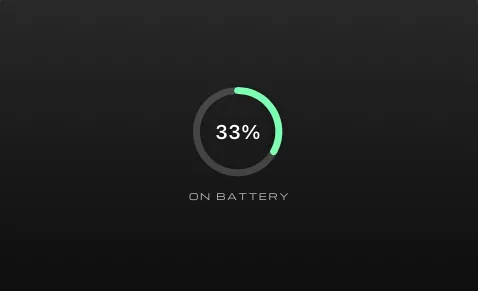
| Field | Required | Meaning |
|---|---|---|
type |
yes | "progress" |
value |
yes | A number from 0 to 1, usually a token |
size |
yes | [width, height] as fractions of the screen height |
style |
no | "bar" (default) or "ring" |
lineWidth |
no | Thickness. Bars: their height. Rings: 0.006. |
color |
no | The filled part. Default white; follows the color people pick. |
track |
no | The unfilled part. Default #FFFFFF40. |
Values
Section titled “Values”value is text, so it can be a number or contain tokens:
value |
Shows |
|---|---|
"0.75" |
three quarters, always |
"{battery.level}" |
the battery level |
"{cpu.level}" / "{memory.level}" |
CPU or memory use |
"{day.progress}", "{week.progress}", "{month.progress}", "{year.progress}" |
how far through the period it is |
"{script.progress}" |
anything your script computes |
"{script.percent}%" |
numbers ending in % are divided by 100 |
Values below 0 count as 0 and above 1 count as 1. Anything that isn’t a number (like an empty token) counts as 0, and the fill disappears.
A bar fills from left to right, with round ends:
{ "type": "progress", "value": "{year.progress}", "size": [0.24, 0.006] }The bar’s thickness is its height (0.006), unless you set lineWidth.
A ring starts at the top and fills clockwise:
{ "type": "progress", "style": "ring", "value": "{day.progress}", "size": [0.1, 0.1], "lineWidth": 0.008, "color": "#7CFFB2", "track": "#FFFFFF30" }The ring fits inside the smaller of width and height. Put text with the same offset to show the value in the middle.
From a script
Section titled “From a script”Return a number from your script and use it as the value:
function update(context) { const start = new Date(2026, 8, 1), end = new Date(2026, 11, 18); const progress = (context.now - start) / (end - start); return { progress, label: Math.round(progress * 100) + "% of the semester" };}{ "type": "progress", "value": "{script.progress}", "size": [0.24, 0.006] },{ "text": "{script.label}", "offset": [0, 0.025] }Showing the number
Section titled “Showing the number”Use the same token as text with |percent:
{ "text": "{year.progress|percent}" }→ 84%