
What widgets are
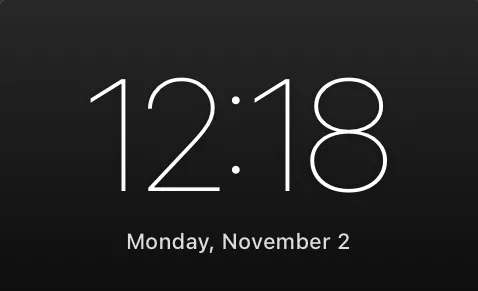
Widgets are small pieces of information, like a clock, the date, your battery or the weather, that float over your Atsurae wallpaper on the desktop. They sit above the wallpaper and below your desktop icons and windows, and you can’t click them, so they never get in the way.
What a widget is made of
Section titled “What a widget is made of”A widget is a widget.json file. It lists the elements to draw:
- Text, with live values (tokens) like
{time},{weekday}or{battery} - Images, like icons or logos (PNG, JPEG, PDF or SVG)
- Shapes: rectangles, circles and lines, for backgrounds and dividers
- Progress bars and rings, for the battery, the time of day or any number you compute
Some widgets also have:
- Options that people can change in Atsurae, like 24-hour time or their name
- A JavaScript file that computes values the built-in tokens don’t have, like a countdown or the time in Tokyo
- Fonts and images of their own
A widget with only a widget.json can be a single .json file. A widget with a script, images or fonts is a folder whose name ends in .atsuraewidget, called a package.
World Clock.atsuraewidget/├── widget.json what to draw└── script.js computes the times in other citiesWhat you need
Section titled “What you need”- Atsurae. It reads your widgets from
~/Library/Application Support/Atsurae/Widgets. - A text editor. TextEdit works. A code editor like VS Code is nicer: with our JSON Schema it suggests every field and points out mistakes as you type. See Editors and tools.
You don’t need Xcode, Swift or any build step. Save the file and Atsurae shows the change on your desktop within a second.
How Atsurae shows widgets
Section titled “How Atsurae shows widgets”- Widgets appear on your main display, over the wallpaper, on every Space.
- Each widget you turn on has its own position, size and color, which you set by dragging it in Customize Widgets. Your
widget.jsondescribes how the widget looks; where it goes is up to the person using it. See Position and size. - Sizes are fractions of the screen height, so a widget looks the same on a laptop and on a 6K display.
- Widgets are drawn by macOS’s own text and graphics layers, not a web view. A clock that changes once a minute redraws once a minute and costs almost nothing. See Performance and battery.
- Widgets show on the desktop only. The lock screen shows macOS’s own clock. See Desktop only.
Built-in widgets
Section titled “Built-in widgets”Atsurae comes with six widgets made in this same format: Day, Date, Time, Now Playing, Battery & System and Custom Text. Their files are a good place to start; they’re all on The built-in widgets.
Make one: Your first widget takes about five minutes.